All Galaxies

Six AI skills,
one complete system

L1–L6 All Galaxies

If AI could take over every part of your work, what would you spend your time on?

NT$ 12,800List priceNT$ 50,090
POINT 1

Around you,
people are already racing ahead with AI

  1. Short videosSomeone makes short videos with AI daily, on time.
  2. Freelance siteSomeone built a site with AI, taking clients on weekends.
  3. Solo companySomeone built a service with AI and started a solo company.
  4. Twin teamSomeone built an AI twin team that relays from plan to delivery.
Four lit windows of a building at night: people filming short videos, delivering a website, standing at their own shop, working with four twins; one person on the dark street looks up

Every week, the gap grows exponentially.

POINT 2

How much time have you spent
figuring it out alone?

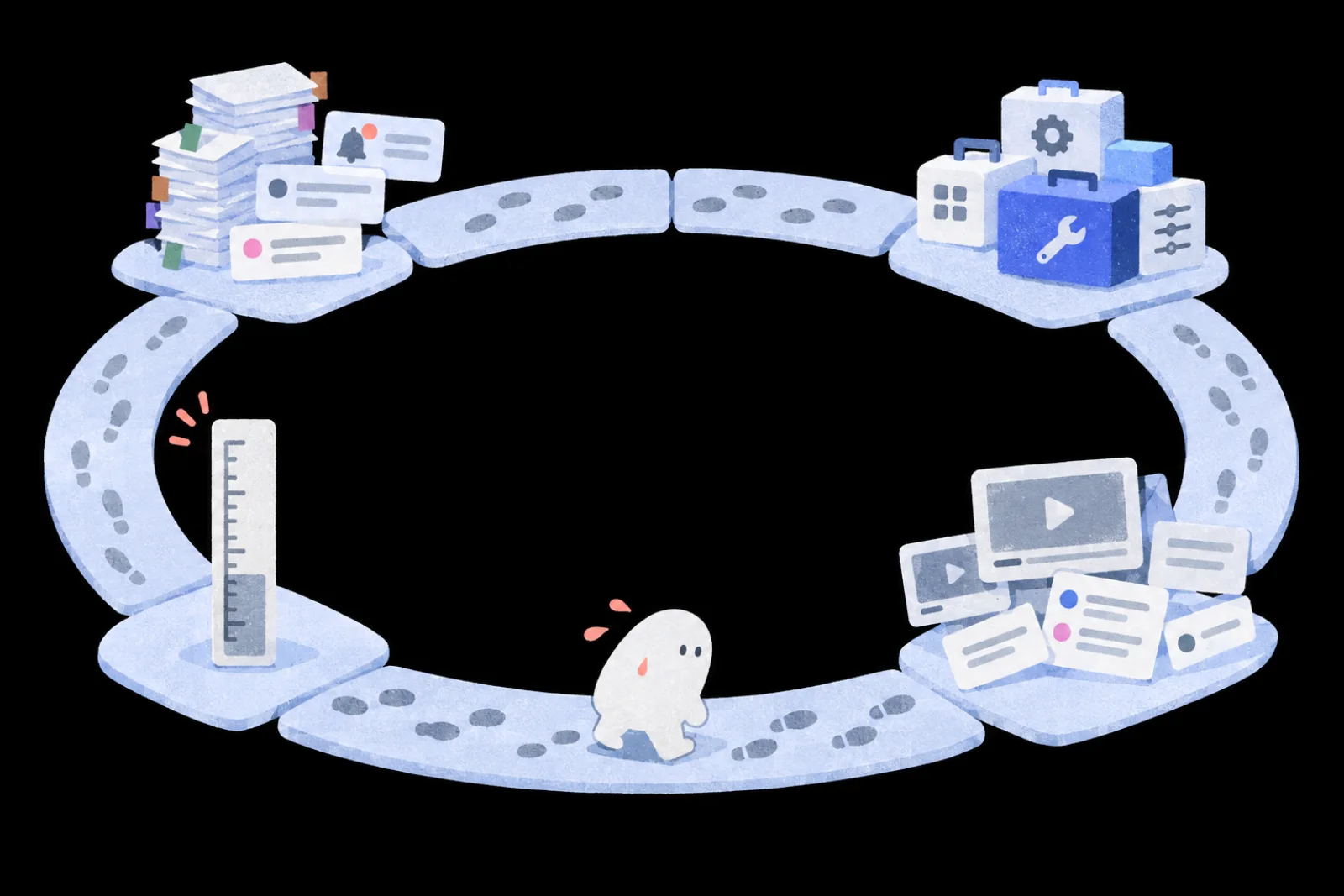
Always exploring, always going in circles

A ring-shaped stone path with four stops: a pile of bookmarked notes and alerts, a heap of new toolboxes, scattered course cards and video screens, a ruler; a sweating person walks it, footprints looping round and round
Worn out

What you saved isn't read yet, and new alerts keep coming.

Won't stick

Resources are everywhere, but you keep getting stuck.

Won't connect

A bit here, a bit there, it never connects.

Not sure

Classes done, videos watched, still not sure you've got it.

After all this exploring, you need a complete learning system.

AI ACADEMY

SAT. Knowledge
AI Academy

The answers you're looking for

A domed glass hall with long wings under the stars, warm light in the windows, a small satellite circling the dome on a golden orbit, and a few people in the plaza

What people lack isn't ability.

It's the fundamentals, and real use cases.

Here, you'll see how the front line puts AI to work.

Core 01

AI assessment

A 15-minute AI interview finds the gap to close first and shows how well you use AI today.

Core 02

Learning map

Six lasting AI skills, built around real output, so you master the fundamentals step by step.

Core 03

Practitioners

Practitioners share what really works, with real use cases and hands-on methods.

Swipe through the three cores →

From fundamentals to the front line, the answers are here.

POINT 3

What to learn for the AI era?
We've mapped it out.

All six skills, already planned and scheduled, so you don't build it yourself.

AI CollaborationFoundation galaxy You set the goal. AI takes the right task.

AI sounds convincing but misses your goal. You'll give it context and standards, and spot where the work drifted.

AI CreationMaker galaxy You bring the idea. AI makes it real.

Your idea stays stuck in the chat. You'll turn it into articles, images or small tools with AI.

Agent DesignTwin galaxy You plan the work. AI starts every day.

Every day you open AI, paste data, repeat. You'll hand off the whole job to run daily, and just check the results.

AI Workflow DesignWorkflow galaxy You guard quality. AI produces at scale.

AI is fast, but too much output to review. You'll set checkpoints, read quality at a glance, and know the cost.

AI Product DevelopmentProduct galaxy You aim at the need. AI builds the product.

AI built a prototype, but it's not ready for others. You'll test it, protect the data, and ship it.

AI System OptimizationEvolve galaxy You set the bar. AI keeps getting better.

AI is hit or miss, and prompt tweaks are hard to judge. You'll set standards, find the failing step, fix it, and retest on the same cases.

Every skill you need, ready for you.

COURSE DESIGN

Six skills, one clear learning path

From single tasks to agents to whole systems, six AI fundamentals put you in charge. Take AI through the whole job.

Six-skill
radar
FoundationL1AI Collaboration
MakerL2AI Creation
TwinL3Agent Design
WorkflowL4AI Workflow Design
ProductL5AI Product Development
EvolveL6AI System Optimization
L5–L6Scale up and keep improving
L3–L4AI works reliably for you
L1–L2Get work done with AI
Playbook, checked proposal
Articles, scripts, social graphics
Daily intel assistant
3-color flowchart, 3-stage checks
A small live product
Scoring rubric, retest log
01Six-skill radar

AI Collaboration, AI Creation, Agent Design, AI Workflow Design, AI Product Development and AI System Optimization: one per galaxy.

02Leave with real work

In every galaxy you build real work with your teacher, from proposals and social graphics to a live product.

03Skills that stack

Built on the six-level AI skill standard, from L1 to L6. Every step sets up the next.

04Three stages of growth

First get work done with AI, then let AI work reliably for you, then scale up and keep improving.

Skills with structure, practice with a path.

POINT 4

The questions you care about,
answered by practitioners

Wherever you're stuck, follow someone who's been there.

  • Hai Tseng
    Hai TsengDean, SAT Knowledge AI Academy

    AI keeps getting better. What's left for me?

    Break down your daily work, find what to give AI, and where your judgment is needed.

  • Eddie Kao
    Eddie KaoFounder, 5xCAMPUS

    What if AI's code gets messier with every change?

    Write the spec and split the tasks for AI to follow, then save versions with Git so you can recover when something breaks.

  • fOx Hsiao
    fOx HsiaoCo-founder, iCook and INSIDE

    How do I turn one research piece into content for different platforms?

    Build a content master from one piece of research, then write specs for each platform and a 60-second video script.

  • Sting Tao
    Sting TaoFormer Managing Director, LINE Taiwan

    Going all-in on AI? What should leaders decide first?

    From team alignment and process to business model, pricing and budget, settle the five decisions for bringing AI into a company.

  • Allen Own
    Allen OwnCEO, DEVCORE
    Honorary Chairman, Taiwan Hacker Association

    Will AI-written code leak your secrets?

    From protecting API keys and permissions to pre-launch checks, learn the security basics every AI product needs.

  • Richard Lee
    Richard LeeCTO and Head of R&D, TNL Mediagene

    AI added a feature, and an old one broke?

    Write tests for core features, review the code, and rerun everything after each change to catch what broke.

17 practitioners, each bringing what works on the front line today.

POINT 5

From using AI,
to directing AI,
to building with AI

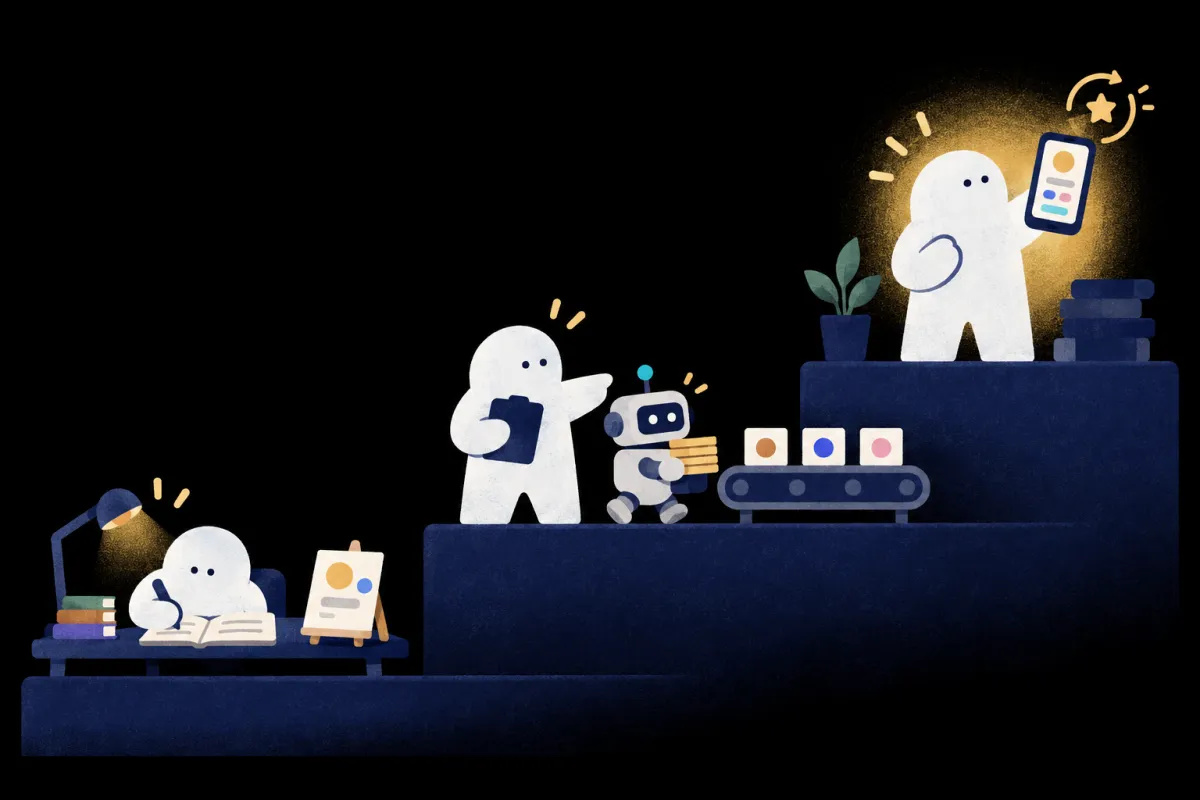
A three-step staircase: on step one, someone writes notes at a desk; on step two, someone directs a small robot and a conveyor belt; on step three, someone glows, holding up a product on a phone
Uses AIFoundation・Maker

Brief clearly, make work you're proud to show

Directs AITwin・Workflow

Your assistant starts daily, and handoffs don't break

Builds with AIProduct・Evolve

Products people use, better with every version

Every role has a clear path to it.

POINT 6

Land on each galaxy,
leave with a new skill

Six planets in a row joined by a dotted gold line: a book, an easel, a robot, a conveyor belt, a phone, a looping star
01 Foundation galaxy | what you get

A collaboration playbook

  • Brief with context, inputs and outputs
  • Works across tasks and tools
  • Sort each line: use, verify, or rewrite

Take homeChecked proposal, collaboration playbook, pre-upload data handling

POINT 7

6 AI assessments included.
Watch yourself grow.

  1. 01Take one before you start, to see what to work on first
  2. 02Take one after each galaxy, to see how far you've come
  3. 03The same standard every time

After each part, you can see yourself change.

POINT 8

17 practitioners, all in one place

  • Hai Tseng
  • Waki
  • Carmen Hsueh
  • fOx Hsiao
  • Hans Lin
  • Dahao Wang
  • Vivi Chen
  • Karen
  • Eugene Wang
  • Eric Wu
  • Peggy Lo
  • Richard Lee
  • Wisely Chen
  • Eddie Kao
  • Allen Own
  • Sean Liu
  • Sting Tao

17 teachers · six galaxies

POINT 9

After the course,
anxiety turns into judgment

Five moments after the course: catching a meteor and sorting it into six slots, checking a manager's task with a magnifier, a stack of cards on the desk on Monday morning, showing a friend a phone app, replacing a broken step with a fixed one A new tool launches Your manager hands you a task Monday morning Someone asks, "Can this go live?" When AI gets it wrong

You know where it fits and whether it's worth switching. Decided in ten minutes.

All six galaxies

You know what to give AI and what to judge yourself, and check every line before you hand it in.

Foundation

Your assistant has this week's intel ready, and one research piece becomes this week's posts.

TwinMaker

You can answer, and you can make it happen.

Product

You know which layer failed, fix it, and retest on the same cases.

WorkflowEvolve

Swipe through the five moments →

L1–L6 All Galaxies

Project Supernova:
one AI foundation
to remake the AI-era you.

Six galaxies, 35 classes.
With 6 AI assessments, see yourself change.

NT$ 12,800List priceNT$ 50,090 This price ends in0 d 06:06:13
COURSE35 classes · 17-teacher lineup · six galaxies

L1 Foundation galaxyAI Collaboration・Working with AI 101

5 courses
  1. 01

    Set your AI expectations: What AI is and isn't good for

    Sort out which work suits AI and make your own reference chart for every handoff.

    Hai Tseng
  2. 02

    AI asking essentials: Build an AI partner you can trust

    Move from asking to delegating: pick your first task and refine it with assign, review, return until it works.

    Waki
  3. 03

    Say what you need: SCORE and letting AI ask back

    Use SCORE to state what you need and let AI ask questions first, so the first draft lands closer.

    Waki
  4. 04

    Build your personal AI playbook, ready for any task or tool

    Write how you work with AI into a playbook, including how to prep files before upload, and take it to any task or tool.

    Carmen Hsueh
  5. 05

    Use your playbook to deliver a checked proposal

    Apply your playbook to a proposal, check figures and sources, and hand in verified work.

    Carmen Hsueh

L2 Maker galaxyAI Creation・AI Content Studio

6 courses
  1. 01

    AI writing desk: Your own spec and voice

    Turn your past writing into a writing spec and keep your voice on any new topic.

    Hai Tseng
  2. 02

    One research doc, many platforms: From content master to short-video script

    Build a content master from one piece of research, then write specs for each platform and a 60-second video script.

    fOx Hsiao
  3. 03

    From key visual to social post: Fix AI images with design principles

    Use the C.R.A.P. design principles to turn a key visual into a clear social post with editable text.

    Hans Lin
  4. 04

    Vibe Coding in practice (the pickleball experiment)

    Start from something you love and vibe-code a mini tool you'll actually use.

    Dahao Wang
  5. 05

    Remix a ready-made Skill: Turn a quoting process into a reusable method

    Add your own rules to a ready-made Skill and retest it with new data, so AI repeats your method.

    Vivi Chen
  6. 06

    Four vibe-coded works that grow your creator studio

    Vibe-code four kinds of works with the instructor, from a front-end-only site to a tool that calls AI.

    Karen

L3 Twin galaxyAgent Design・Super AI Assistant Training Program

4 courses
  1. 01

    How AI works, mapped: Models, data, tools and agents

    See what models, data, tools and agents each do, so you know what to give your assistant.

    Eugene Wang
  2. 02

    All-purpose agent workflow: Pick one task to trigger and automate

    Use four criteria to pick a task for your assistant, map the flow, and grant only the access it needs.

    Vivi Chen
  3. 03

    Build a daily briefing assistant with ChatGPT × Notion

    Build a briefing assistant with ChatGPT and Notion that picks sources by your standards, remembers feedback and starts on its own every day.

    Eugene Wang
  4. 04

    Super AI assistant: Daily briefings, meeting notes and scheduling

    Build a super assistant that prepares your morning briefing, writes up meeting notes and lines up your work each day.

    Eugene Wang

L4 Workflow galaxyAI Workflow Design・AI Workflow Design

5 courses
  1. 01

    AI's two limits: Too much to read, different every time

    Work around AI's two limits and draw a three-color rules/code/AI flowchart that gives each step the right method.

    Eric Wu
  2. 02

    How to check AI output: Human, AI and independent adversarial checks

    Combine human review, AI self-checks and independent adversarial checks with a traffic-light rating to decide if the work can ship.

    Peggy Lo
  3. 03

    Working with AI like an engineer: Specs, task breakdown and controlled delivery

    Write requirements as a spec AI can follow, let it break down the work, then accept it through tests and review.

    Richard Lee
  4. 04

    AI cost control in practice: Tokens, models and run budgets

    Work out the full cost of one task, match the models, and set budget caps and stop rules.

    Wisely Chen
  5. 05

    Sort workflow steps: Break down a customer-support flow

    Break down a customer-support workflow with the instructor, pick SQL, RAG, an LLM or code for each step, then use problem emails to find what breaks.

    Eric Wu

L5 Product galaxyAI Product Development・AI Developer Program

8 courses
  1. 01

    Software development in the AI era: From spec to deployment

    See the full path from spec through development and testing to launch, and spot what your project still needs.

    Hai Tseng
  2. 02

    Lead AI with a spec: Spec-driven development (SDD)

    Write the spec, split the tasks, let AI build to it, then check each item.

    Eddie Kao
  3. 03

    Version control with Git: Track changes, isolate risk, roll back

    Save versions and branch with Git, so you can recover when something breaks.

    Eddie Kao
  4. 04

    Let AI query databases safely: Permissions, field meaning and result checks

    Limit what AI can query, understand what each field means, and check the results.

    Eric Wu
  5. 05

    Security in practice: Secrets, permissions and launch safety

    Protect keys and permissions and run a security check before launch.

    Allen Own
  6. 06

    Software testing with AI: Tests, code review and a regression harness

    Write tests for core features and rerun them after every change, so old features keep working as you add new ones.

    Richard Lee
  7. 07

    Going live: Deployment, login and payments

    Deploy to a URL others can open, with login and test payments.

    Eric Wu
  8. 08

    From zero to one: Ship your first product

    Take a small product from spec to launch with the instructor, and have a second person use it.

    Hai Tseng

L6 Evolve galaxyAI System Optimization・AI Evolve

7 courses
  1. 01

    Loop engineering: Write acceptance criteria and let AI iterate to pass

    Turn “good” into acceptance criteria, cap rounds and budget, and let AI revise until it passes.

    Hai Tseng
  2. 02

    Turn taste into evals: External signals and machine-readable criteria

    Use good and bad examples with a rubric to write your taste as criteria AI can read.

    Sean Liu
  3. 03

    Make your team's AI better with use: Shared knowledge, SOPs and quality gates

    When AI gets it wrong, find whether facts, SOP, Skill or settings caused it, fix that layer, and retest with the same scorecard.

    Carmen Hsueh
  4. 04

    AI governance boundaries: Permissions, cost and human handoff

    Separate read, write and irreversible permissions, cap costs, and hand high-risk actions to a person.

    Wisely Chen
  5. 05

    Traces and incident reviews: See it to fix it

    Trace a run to the step where it went wrong, and add that error to your test cases.

    Sean Liu
  6. 06

    Self-evolving AI systems: Build your own upgrade system

    Change one criterion, compare before and after on the same cases, then adopt or roll back.

    Hai Tseng
  7. 07

    Five decisions for going all-in on AI: Alignment, process, business model, pricing and budget

    Learn the five decisions to settle before bringing AI into a whole company.

    Sting Tao
Q&A
  1. 01

    Do I need to go in order?

    No. Each galaxy stands on its own. Start with the one you need most.

  2. 02

    How do the 6 AI assessments work?

    Take one before you start to see what to work on first, then again after each galaxy.

  3. 03

    How long can I watch?

    12 months, counted separately for each class.

  4. 04

    When do the classes go live?

    Everything goes live on 2026/11/30 at 17:00.

  5. 05

    Can I take the course on my phone? What computer do I need?

    Watch on your phone; build on a computer.All six galaxies can be watched on a phone, tablet or computer. Foundation lessons 01–03 can be practiced with an AI app on your phone; for the other galaxies we suggest a computer. In Twin, you set up on a computer and check results on your phone; Product requires a computer that lets you install software. Computer requirements: web-based AI just needs an up-to-date browser; Claude Code needs macOS 13 or Windows 10 (version 1809) or later and at least 4GB of RAM; the Codex desktop app needs an Apple silicon (M-series) Mac. See each galaxy's FAQ for details. To watch lessons, use Chrome 111, Safari 16.4 (iOS 16.4), Firefox 128 or later.

  6. 06

    Which AI tools will I use? Can I switch?

    The method carries over; tools can change.Lessons mainly demonstrate Claude and ChatGPT, and the methods carry over when you switch tools. Foundation lesson 04 and Product use Claude Code or Codex; one is enough. Twin uses Claude or ChatGPT with Gmail, Google Drive or Notion; Workflow uses AI from different providers to check each other; Evolve uses Notion or another shared document tool.

  7. 07

    Do I need to pay for anything else?

    Some free; Product needs paid tools.Foundation lessons 01–03 work on free plans; for lessons 04 and 05, Claude Code requires Claude Pro or higher, while Codex lets you start on ChatGPT's free trial allowance. Maker, Workflow and Evolve can start free, but rounds of revisions and re-testing use a lot of allowance, so we suggest a paid plan for at least one tool. Twin's scheduling and connectors may require a paid plan, which we recommend. Product requires paid tools, and hosting, domains and payment services for launching may cost extra. Check each tool's official website for current plans and limits. Whenever a lesson uses a paid feature, we'll flag it.


Want your whole team to join?

Learn about team plans →

Plans

This price ends in 0d06:06:13
NT$12,800List priceNT$50,090
  • All 6 galaxies, all 35 lessons unlocked
  • 12 months of access, counted per lesson
  • Includes 6 AI skills assessments
  • 0% installments over 3, 6 or 12 months (not valid for foreign cards)
NT$12,800List priceNT$50,090 See plans