

Workflow galaxy

AI Workflow Design

Hands-on performance: reliable output × fewer tokens

Learn to break down tasks, manage context, design quality checks and optimize tokens, so AI reliably delivers work that passes.

NT$ 4040 NT$ 8980
See plans
Starts2026/11/30
ForResearchers, analysts, planners and operations staff who already use AI for real work but often redo it or hesitate to hand it in
Courses5 courses
TeachersEric Wu、Peggy Lo、Richard Lee、Wisely Chen
POINT 1

AI runs fast.
But would you really hand your work entirely to AI?

What usually happens when you hand it all to AI
AI CHATFull reruns ×3

Reconcile October’s orders and send it straight to finance

Done. 1,284 orders, all matched ✓

01Says done, but missed some37 returns were never read, and it won’t tell you

Returns weren’t deducted. Redo it

Regenerated all results

02Fix one thing, break anotherReturns are in now, but the shipping column that was right has changed

The total is off from the bank deposits by NT$2,340

Fixed. Difference adjusted ✓

03Can’t reconcile? It makes something upA new “adjustment” line appears that isn’t in the source data

I said tax-inclusive at the start. You used pre-tax

Sorry, regenerated all results

04Long chats, forgotten rulesThe calculation method set at the start gets overridden later on

Every reply says “done,” but you can’t tell which one to trust. You can’t see which step went wrong, so you rerun the whole thing.

POINT 2

How many AI performance traps have you hit?

A person at a laptop with head in hands; the laptop shows a refresh arrow, next to a stack of redone pages 0/ 4

The biggest time sink is a result that looks finished when you can’t tell what it missed

POINT 3

Where can a deliverable start to go wrong?

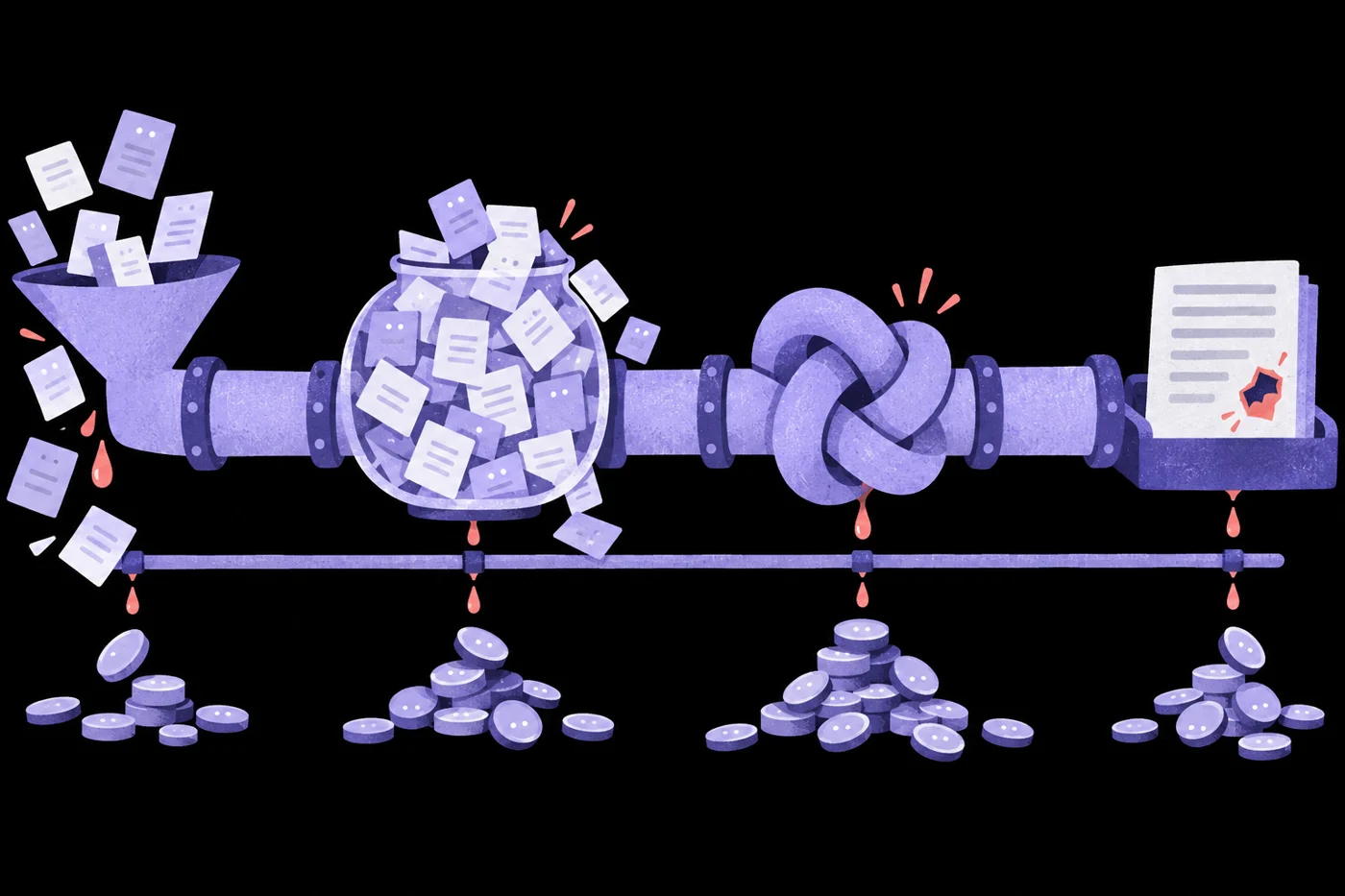
Five failure points along a pipeline: a leaking funnel, an overflowing data tank, a knotted pipe, an output document that looks complete but has holes, and money leaking all along the bottom of the pipe 01Input 02Context 03Process 04Output 05Cost
01InputReports too long, tables missing columns, key points never read in
02ContextChats run so long that the format and rules set earlier get overridden
03ProcessEvery step crammed into one prompt, so one error means rerunning it all
04OutputNo acceptance criteria, so anything that looks complete gets handed in
05CostWhole document packs every time, large models for small jobs, endless retries on failure

Design these five points well, and you can trace where any step of a complex task went wrong.

POINT 4

Five design skills,
so every stage is checkable

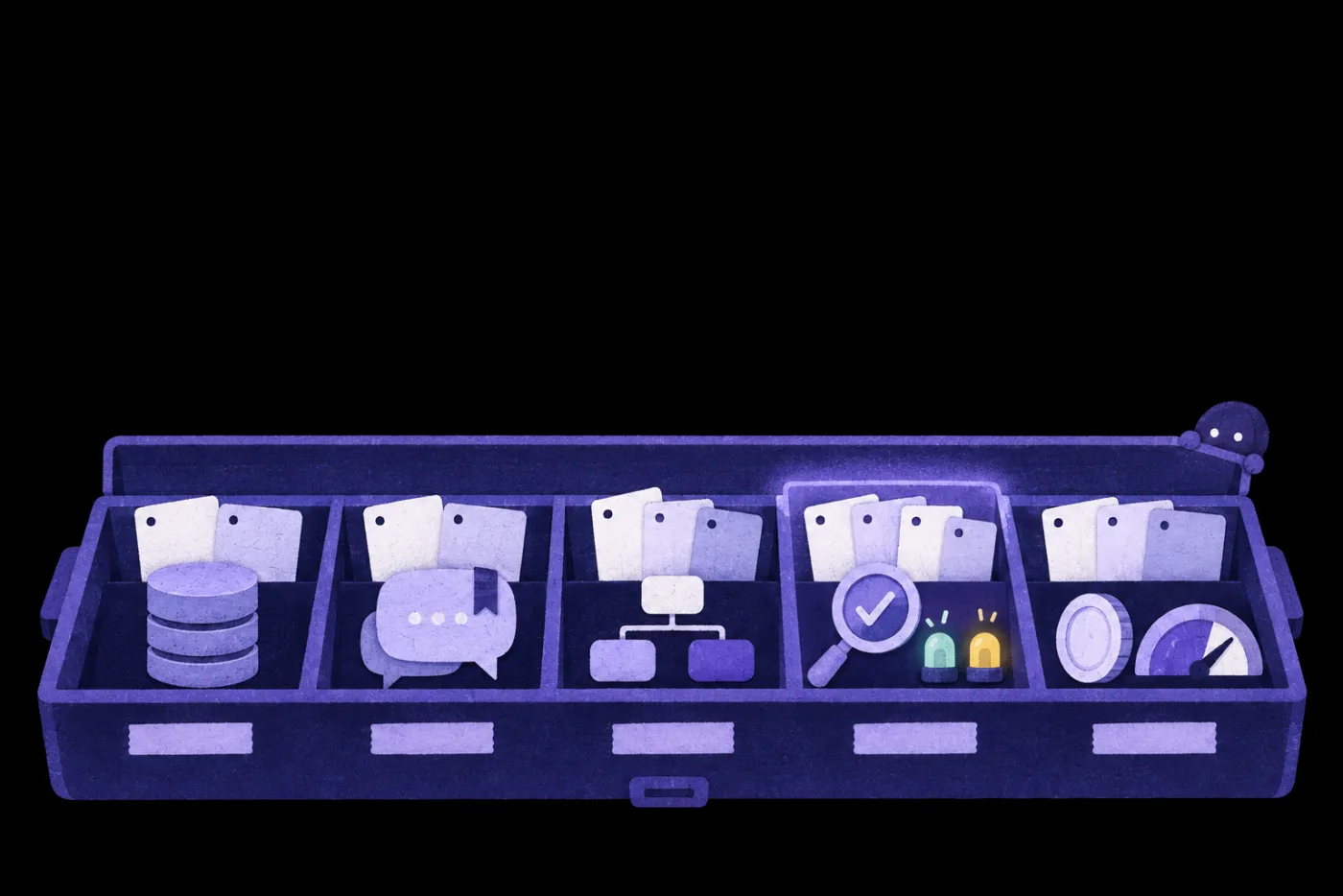
An open toolbox with five compartments: a database cylinder, a speech bubble, a three-color flowchart, a magnifying glass with a check mark and lights, and coins with a gauge; each holds a few blank cards, and the fourth glows faintly
  1. 01Data accessFixes inputAI writes code to read dataRAG / SQL access
  2. 02Context designFixes context4-part specControl context
  3. 03Task breakdownFixes workflowThree-color flowchartSplit & sort nodesException handling
  4. 04Quality checksFixes outputAI self-checks against criteriaIndependent adversarial checkRed/yellow/green lightsRun 3×, compare consistency
  5. 05Cost controlFixes costFull cost estimateModel routingBudget cap and stop

Stuck at a stage? Open that box.

POINT 5

Before cutting tokens,
know what one task really costs

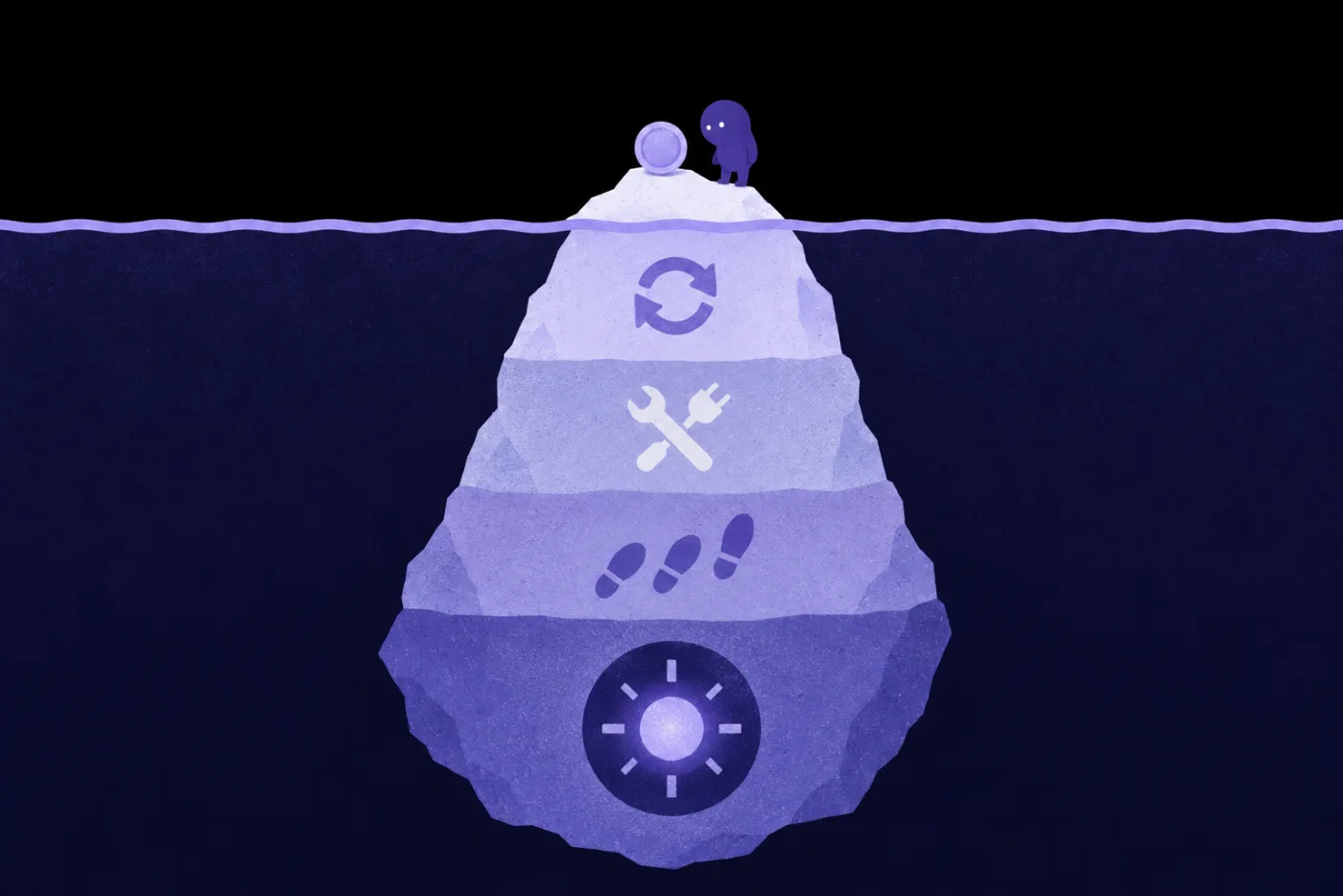
An iceberg: above the water, only a token and a small figure looking at it; below, ever-larger layers of ice hide the retry loop arrows, tools, footprint-like steps, and at the bottom a glowing large-model chip
Token priceNT$0.60Just the first line
Retries×3NT$1.80
Tool calls×12NT$1.20
Steps run×9NT$0.90
Modellarge model throughoutNT$2.10
This runNT$6.60
Illustrative figures
POINT 6

Split one job apart,
and give each part to whatever suits it best

Handling customer emails
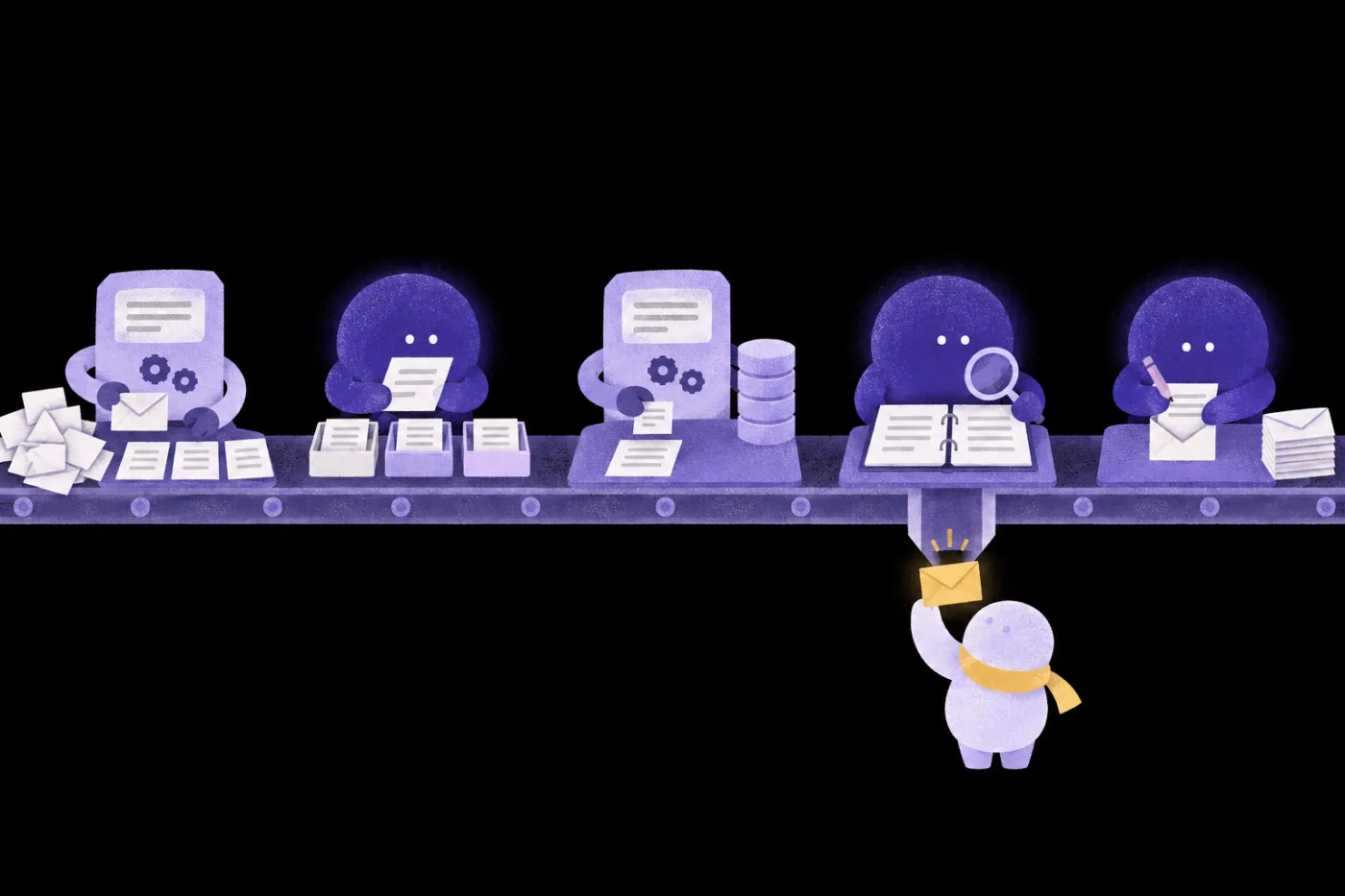
A five-station customer-email line: a small machine opens and lines up the mail, an AI helper sorts letters into three trays, a machine pulls the order record from a database, an AI helper checks a rule binder while one yellow envelope slides down to a person in a yellow scarf, and the last AI helper writes a reply and adds it to the finished stack ⚙ CodeSort mail ✦ AISpot the issueLLM ⚙ CodeLook up orderSQL ✦ AIFind the ruleRAG ✦ AIDraft replyLLM Human check

Code takes what has a right answer, AI takes the judgment calls

Lesson 5 demo; screens are illustrative

POINT 7

Five lessons take one workflow
from breakdown to sign-off

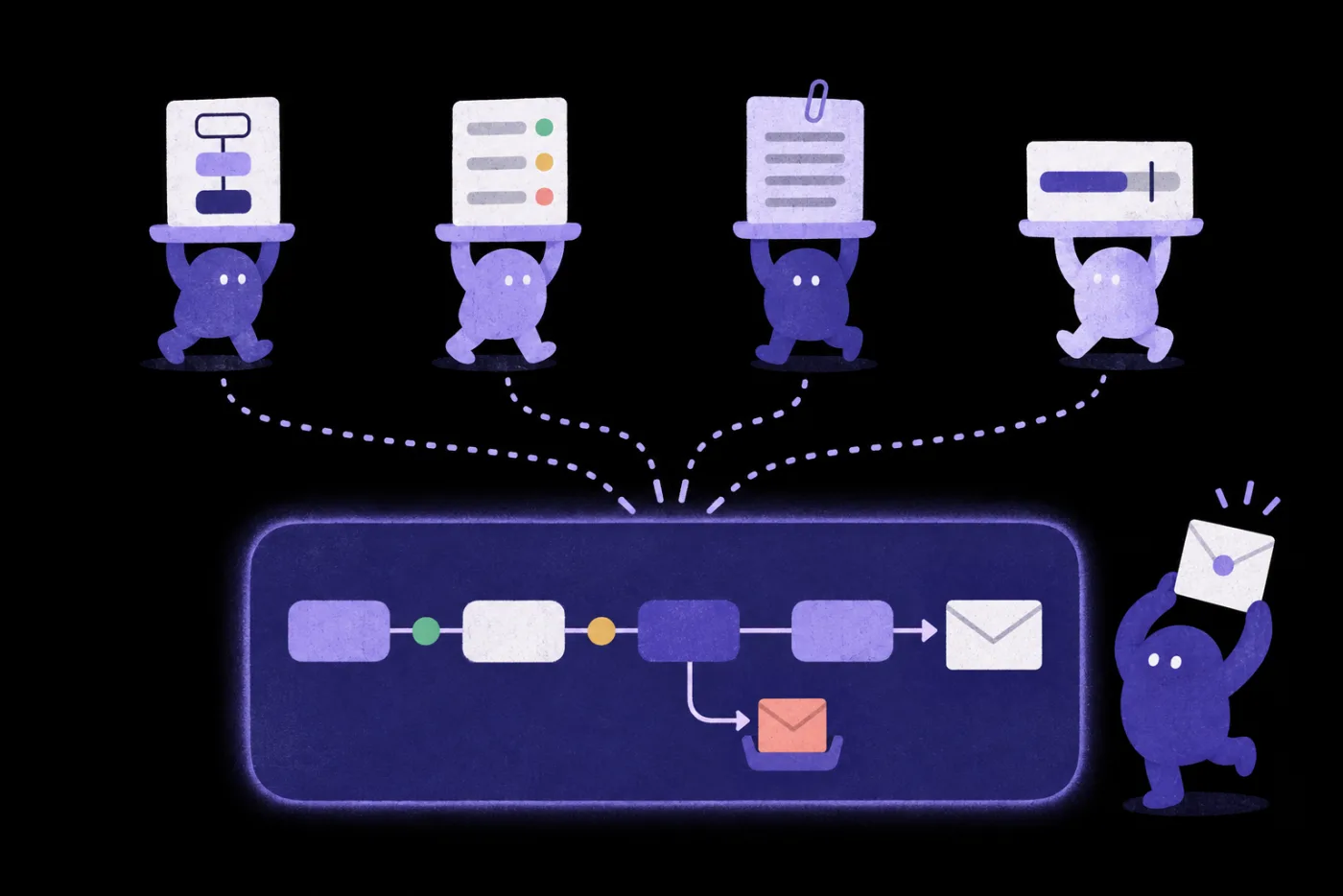
Four helpers in the top row each hold up a result: a three-color flowchart, a checklist with green, yellow and red lights, a spec card with a paper clip, and a budget bar with a cap mark; four dotted lines merge into a glowing support-workflow board below, where a branch catches a coral exception email, a finished reply comes out at the end, and a helper beside it raises a sealed envelope
Lesson 1Build alongThree-color flowchart
Lesson 2LearnCheck log
Lesson 3Build alongAI-ready spec
Lesson 4Build alongCost estimate
Lesson 5Build alongSupport workflow with exception handling
POINT 8

Really steadier and cheaper?
Three checks: learn to be your own gatekeeper

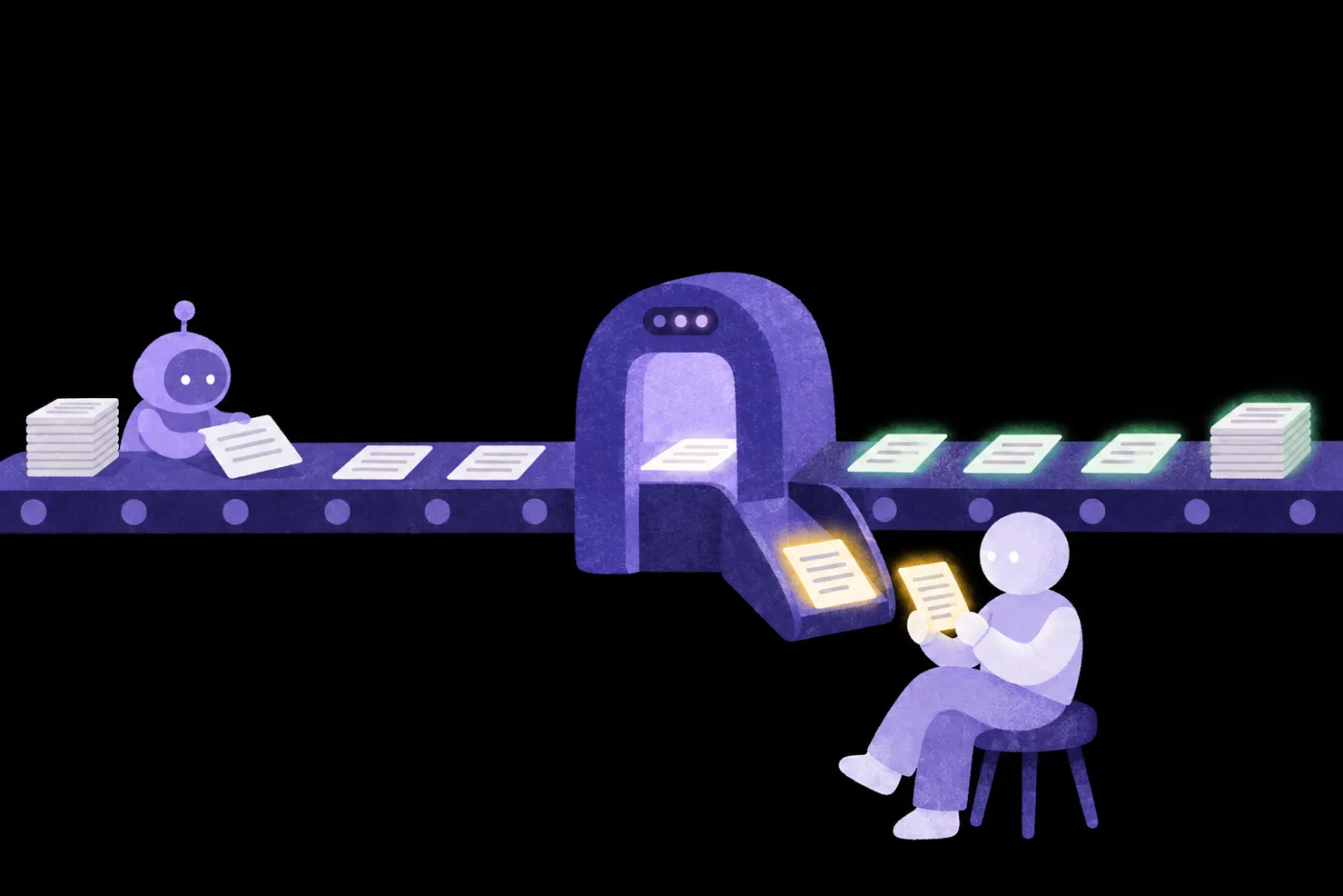
Helpers place slips on a conveyor belt that runs through a glowing arch; slips that pass glow green and stack up to the right, and only one yellow-glowing slip drops down a chute into the hands of a person sitting nearby AI self-checks against criteria Adversarial test · Another AI checks Green means go Human check · Yellow goes to you
POINT 9
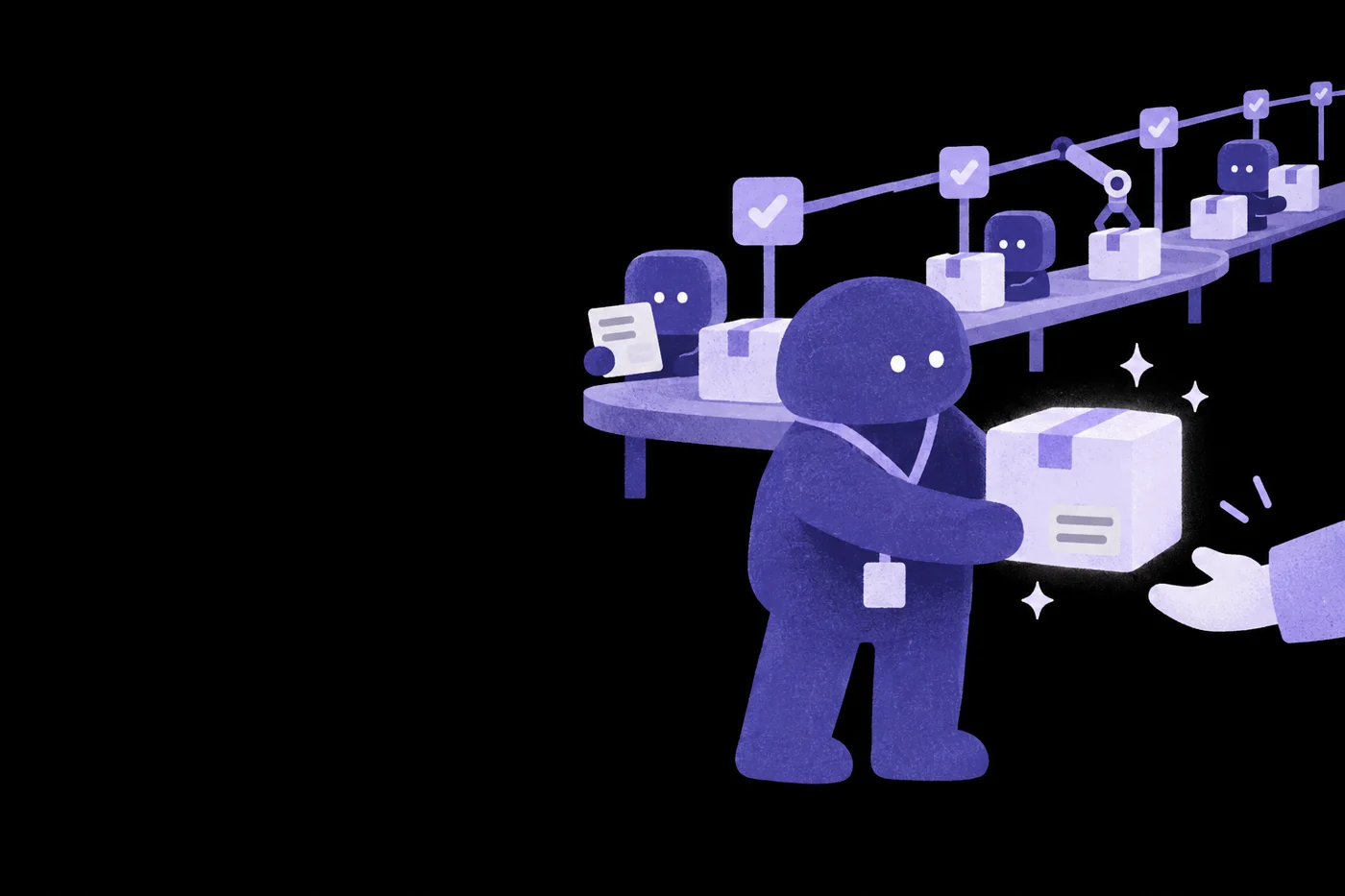
A person confidently hands a glowing package to a hand reaching into the frame, with a tidy pipeline and AI helpers behind

Turn AI’s speed
into work you can deliver

Five lessons. With your teacher, take a customer-support workflow from breakdown to sign-off, then apply it to revenue-share reconciliation.

NT$ 4040 NT$ 8980

Great AI workflows keep costs in check and keep delivering work that passes.

COURSE5 lessons · 4 teachers
  1. 01

    AI's two limits: Too much to read, different every time

    Work around AI's two limits and draw a three-color rules/code/AI flowchart that gives each step the right method.

    Eric Wu
  2. 02

    How to check AI output: Human, AI and independent adversarial checks

    Combine human review, AI self-checks and independent adversarial checks with a traffic-light rating to decide if the work can ship.

    Peggy Lo
  3. 03

    Working with AI like an engineer: Specs, task breakdown and controlled delivery

    Write requirements as a spec AI can follow, let it break down the work, then accept it through tests and review.

    Richard Lee
  4. 04

    AI cost control in practice: Tokens, models and run budgets

    Work out the full cost of one task, match the models, and set budget caps and stop rules.

    Wisely Chen
  5. 05

    Sort workflow steps: Break down a customer-support flow

    Break down a customer-support workflow with the instructor, pick SQL, RAG, an LLM or code for each step, then use problem emails to find what breaks.

    Eric Wu
Hands-on project

Break down a customer-support workflow with your teacher

A tangled, leaking old pipe model
BEFORE · As is
  1. 01First, see what “hand it all to AI” produces
A tidy new pipeline fitted with check valves
REBUILD · Redesign
  1. 02Split and sort the nodes
  2. 03Set each step’s data and handoff fields
  3. 04Run it end to end with normal emails
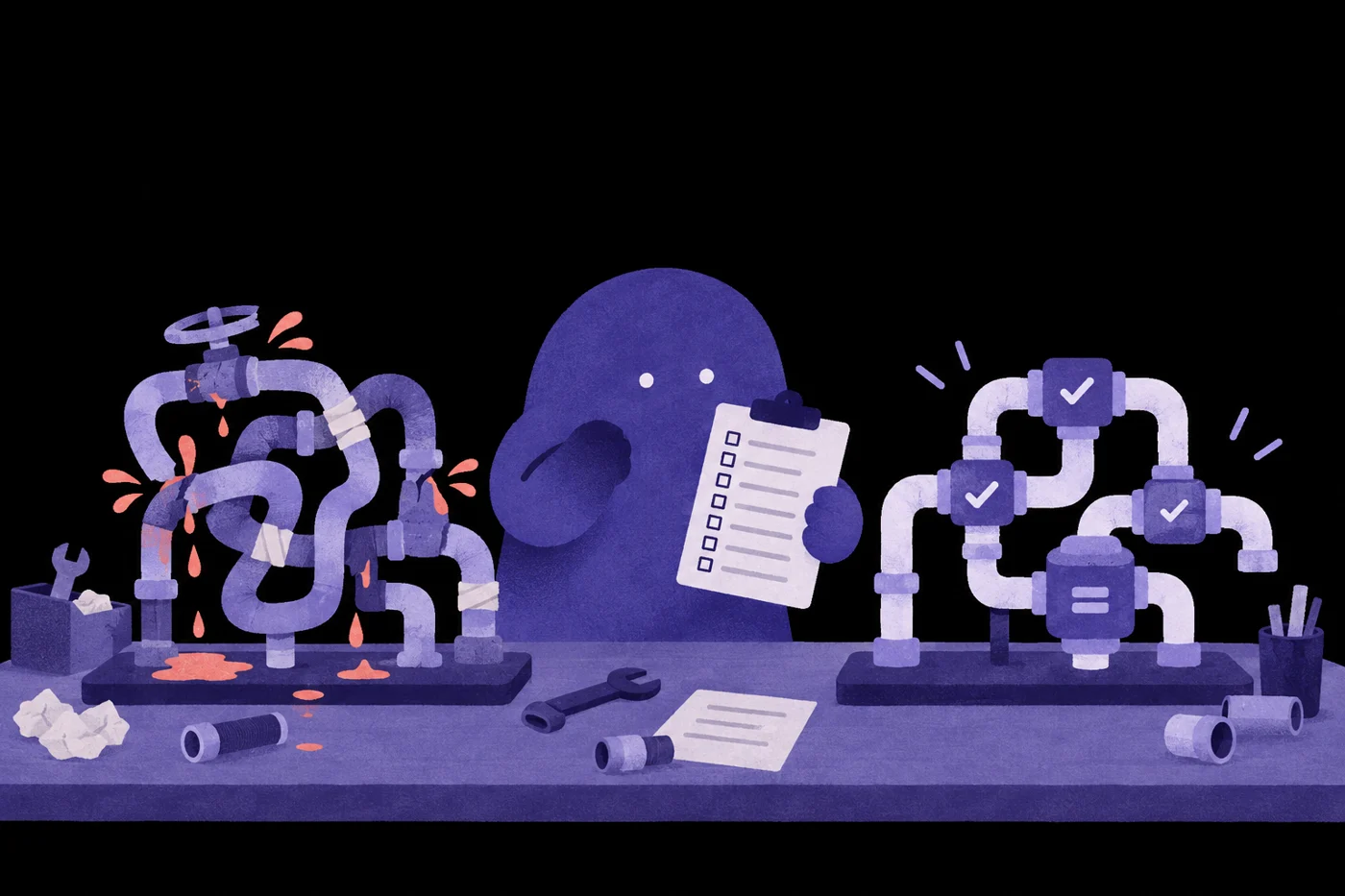
A person holding a checklist clipboard, with record sheets on the desk
MEASURE · Before & after
  1. 05Feed in problem emails and see if the workflow holds
  2. 06Compare before and after, then apply it to revenue-share reconciliation
Q&A
  1. 01

    Who is this for?

    People who already use AI for real work but often redo it or hesitate to hand it in. For example, those doing research and analysis, planning or operations reports, or already running automated workflows and starting to watch AI costs.

  2. 02

    Do I need other galaxies before Workflow?

    No.Each galaxy is a standalone series. Pick by the work you want to get done.

  3. 03

    Do I need to know how to code?

    Lesson 2 demonstrates with Word, Excel and a chat AI, so you can follow along without an engineering background.

  4. 04

    How is Workflow different from the Twin, Product and Evolve galaxies?

    Twin teaches you to hand AI one complete job. Workflow teaches you to make a whole workflow run right, run steady and run lean. Product teaches you to launch what you built with Vibe Coding for others to use. Evolve teaches teams to turn experience into shared standards and keep improving.

  5. 05

    Does the course guarantee how many tokens I'll save?

    The course teaches you to work out the full cost of a task, beyond the per-token price, and to set a budget cap. Necessary checks sometimes raise usage on a single run in exchange for less rework, so we don't promise a fixed savings rate.

  6. 06

    What's the format, and how long is it?

    5 online lessons, planned to start Nov 30, 2026.

  7. 07

    Can I take the course on my phone? What computer do I need?

    Watch on your phone; work on a computer.Your phone works for watching and checking what the AI hands back. To follow along you'll need a computer that can open Word or Google Docs and Excel and run code. Desktop apps: Claude needs macOS 13 or Windows 10 or later, ChatGPT needs macOS 14 or Windows 10 or later. To watch lessons, use Chrome 111, Safari 16.4 (iOS 16.4), Firefox 128 or later.

  8. 08

    Which AI tools will I use? Can I switch?

    Use AI from different providers.The method works with any tools: use AI from different providers to check each other. Lesson 2 uses tracked changes in Word or Google Docs and Excel with a chat AI; the instructor mainly uses Claude and cross-checks with Codex.

  9. 09

    Do I need to pay for anything else?

    Free to practice; paid for heavy use.You can practice on free plans; cross-checking needs accounts with two AI providers. Long documents, running code, and repeated retries and checks use a lot of allowance, and when the free allowance runs out you'll need to wait for it to reset or switch providers. For heavy workloads, we suggest a paid plan with at least one provider for more usage; the course also covers task costs and budget caps. Whenever a lesson uses a paid feature, we'll flag it.

Want your whole team to join?

Learn about team plans →

Plans

This price ends in 0d06:06:10
NT$4,040List priceNT$8,980
  • AI Workflow Design, 5 lessons
  • 12-month access, counted per lesson
  • Includes 1 AI skills assessment
  • 0% interest on 3, 6, or 12 installments (not for foreign cards)

Multi-buy2 items 10% OFF · 3+ items 15% OFFSee multi-buy

Courses open 2026/11/30 17:00

This price ends in 0d06:06:10

All six galaxies, one price

  • All 6 galaxies, all 35 lessons unlocked
  • 12 months of access, counted per lesson
  • Includes 6 AI skills assessments
  • 0% installments over 3, 6 or 12 months (not valid for foreign cards)
NT$12,800Bought separately List priceNT$50,090 Save NT$9,000 vs. buying separately
NT$4,040List priceNT$8,980 See plans